12 October 2026 · 6 min read
Is live chat worth it for a small business?
Live chat is worth it for a small business when customers regularly get stuck on a quick question right before they buy or sign up, and someone can answer within a few minutes during set hours. If your questions are rare or need research, or nobody can watch the chat, fast email and a clear contact form will serve you better than a chat bubble that never replies. The rest of this guide gives you a quick test for which side you are on, the honest costs, wording you can copy if you go ahead, and a way to judge it after a month.
When live chat is worth it for a small business
The useful test is not whether everyone else has a chat bubble. It is whether people get stuck on a question that a human could answer in one or two lines, right at the moment they are deciding.
If three or more of these sound familiar, chat will probably earn its keep. Every chat that ends in 'great, ordering now' is a customer who might otherwise have quietly closed the tab.
- You get the same pre-purchase questions by email every week: sizes, delivery times, whether it works with something they already own.
- Your product or service needs a little reassurance before someone pays, such as custom orders, bookings or software trials.
- Visitors leave from your pricing or checkout page and you never find out why.
- Someone on the team already sits at a computer during working hours and can glance at a chat between other tasks.
- Your customers would rather type a quick question than pick up the phone.
When live chat is not worth it (yet)
Chat that nobody answers is worse than no chat. A visitor who types a question and stares at an empty window for twenty minutes learns something about you, and it is not flattering. These are the cons that matter more than any feature list.
- Nobody can watch it. If everyone is on the shop floor, on the road or in meetings all day, chat becomes a slower email with a worse first impression.
- Your questions need research. If each answer means checking an order system, asking a supplier or reading a contract, an email you can answer properly serves the customer better.
- You get very little traffic. A handful of visitors a day rarely produces enough chats to justify building the habit of watching for them.
- Your help pages are a mess. Chat will turn into the place people ask what a clear FAQ page should already say. Fix the page first; it is cheaper.
What live chat really costs a small team
The subscription is usually the small part of the bill. The big part is attention: chat promises a quick reply, so someone has to notice it quickly.
Chat also interrupts. A message arriving while you write a quote breaks your concentration, and getting back into it takes a few minutes every time. Decide who is on chat for which hours, so the rest of the team can ignore it without guilt.
There is a hidden saving too. A two-minute chat often replaces an email thread that drags over two days. Questions that would bounce back and forth ('Which model do you have?' 'The blue one.' 'The old blue one or the new one?') get settled while the customer is still on your site, instead of after they have bought elsewhere.
How to run live chat on your website with a small team
You do not need round-the-clock cover. You need clear hours and an honest promise. Here is the setup that works for a team of one to five.
If you want to test this cheaply, suppp's free plan includes the live chat widget and a shared inbox for one person and 100 conversations a month, which is enough to find out whether visitors use chat at all. The widget goes on your site by pasting one script tag and can be styled in your own colours. Business hours, the pre-chat form and saved replies (canned responses) come with the Starter plan, and new accounts get a 14-day Starter trial with no credit card. Every plan alerts you to unanswered live chats, so a busy afternoon does not turn into a forgotten customer.
- Set your hours and show them. Outside those hours the widget should say you are away and ask for an email address, instead of pretending someone is there.
- Say how fast you reply. 'Usually replies within a few minutes' sets the expectation up front, so a three-minute wait feels normal rather than rude.
- Greet as a person. For example: 'Hi, I'm Anna. Ask me about sizes, delivery or returns, I'm here until 5pm.'
- End your away message with a time. For example: 'We're offline until 9am tomorrow. Leave your email and we'll reply first thing.'
- Save your most common answers. Delivery times, return steps and password resets should be one shortcut away, then tweaked so they sound human.
- Give each shift one owner. 'Everyone keeps an eye on chat' means nobody does.
- Ask only for what you need. A name and email before the chat starts is enough to follow up if the visitor leaves mid-conversation.
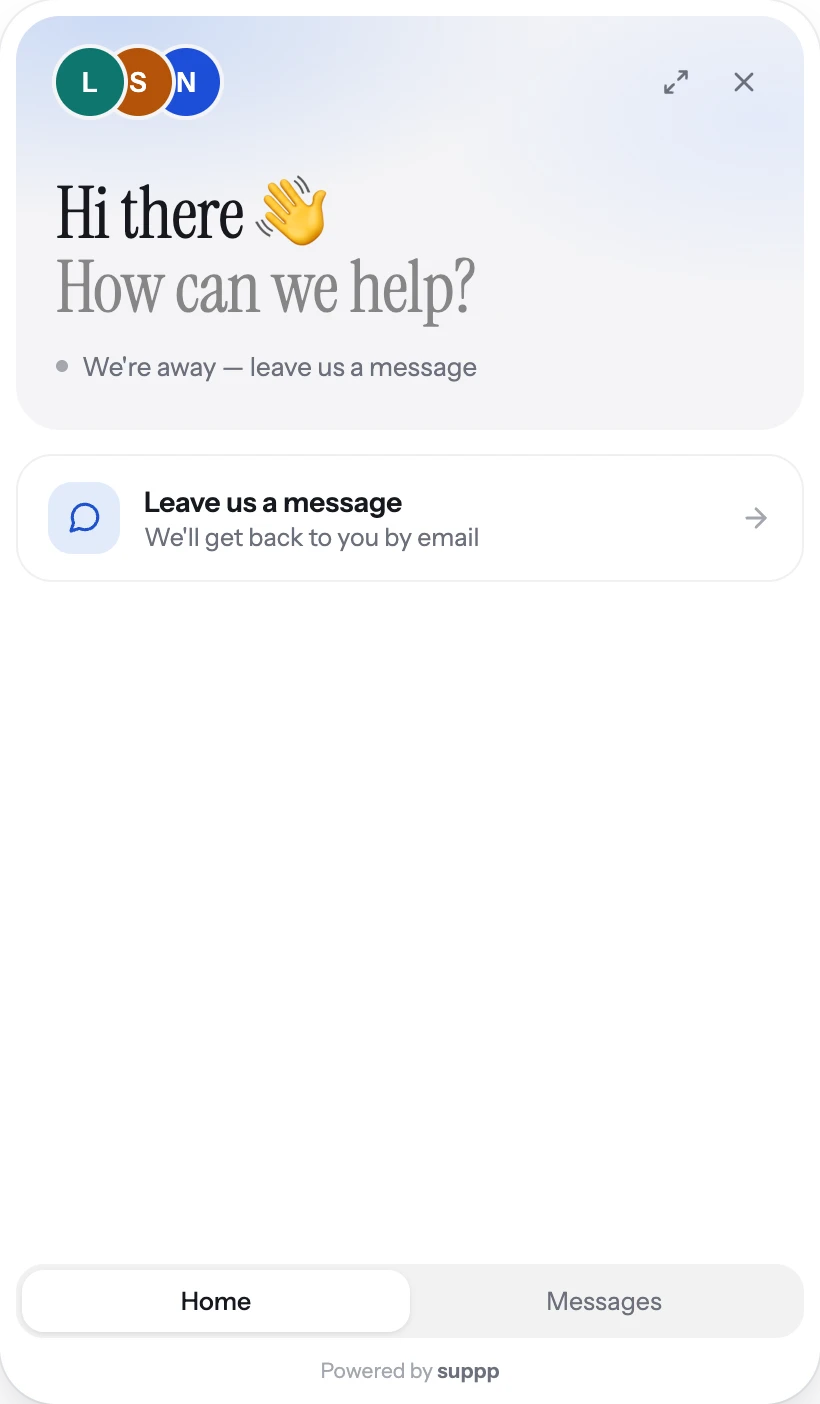
- 1Says plainly that nobody is there right now
- 2And what happens instead: a reply by email
This is suppp's chat widget outside business hours: it says plainly that nobody is there right now and offers a reply by email instead.
How to tell after a month if live chat was worth it
Give it four weeks, then read the chats themselves, not just a count of them. The conversations tell you whether chat helped customers decide or just gave them a new place to say hello.
If chat brought in even a few customers you would otherwise have lost, and nobody on the team dreads it, keep it. If it mostly produced 'hello?' at 11pm and the same three questions, limit it to business hours, fix your help pages and try again later.
- Count the chats that ended in a purchase, booking or signup, or clearly removed the last obstacle to one.
- List the questions that came up more than twice. Those belong on your website, next to where people asked them.
- Check how many chats waited too long or got no answer. If that happened often, the problem is cover, not chat.
- Ask whoever ran it how much it interrupted their day. Winning a few sales by wearing out your only support person is a bad trade.
Questions people ask
Does live chat increase sales for a small business?
- It can, when people hesitate before buying because of a small question about fit, delivery or compatibility. Chat answers that while they are still on the page, instead of hours later when they have moved on. It helps little if visitors already know what they want or if price is the real objection.
Do I need to be online 24/7 to offer live chat?
- No. Set clear business hours, tell visitors when you are around, and switch the widget to an away message with an email field outside those hours. An honest 'back at 9am' goes down much better than a chat that looks open and never answers.
Is a chatbot better than live chat for a small business?
- For most small businesses a person is the better start, because volume is low and questions are often specific. A bot is only as good as the answers you write for it, and a confident wrong answer costs more trust than a short wait for a human. Learn your common questions from real chats first, then decide what is worth automating.
How much time does live chat take each day?
- It depends on your traffic, but the real cost is attention rather than hours. Many chats take a minute or two, especially with saved replies for common questions. Limit chat to set hours and give one person the job per shift so the rest of the team is not constantly interrupted.