Live chat that reachesa real person.
A chat button for your site. Messages land in your team's shared inbox, ring until someone picks them up, and get answered by a person with a name.
One chat, from both sides.
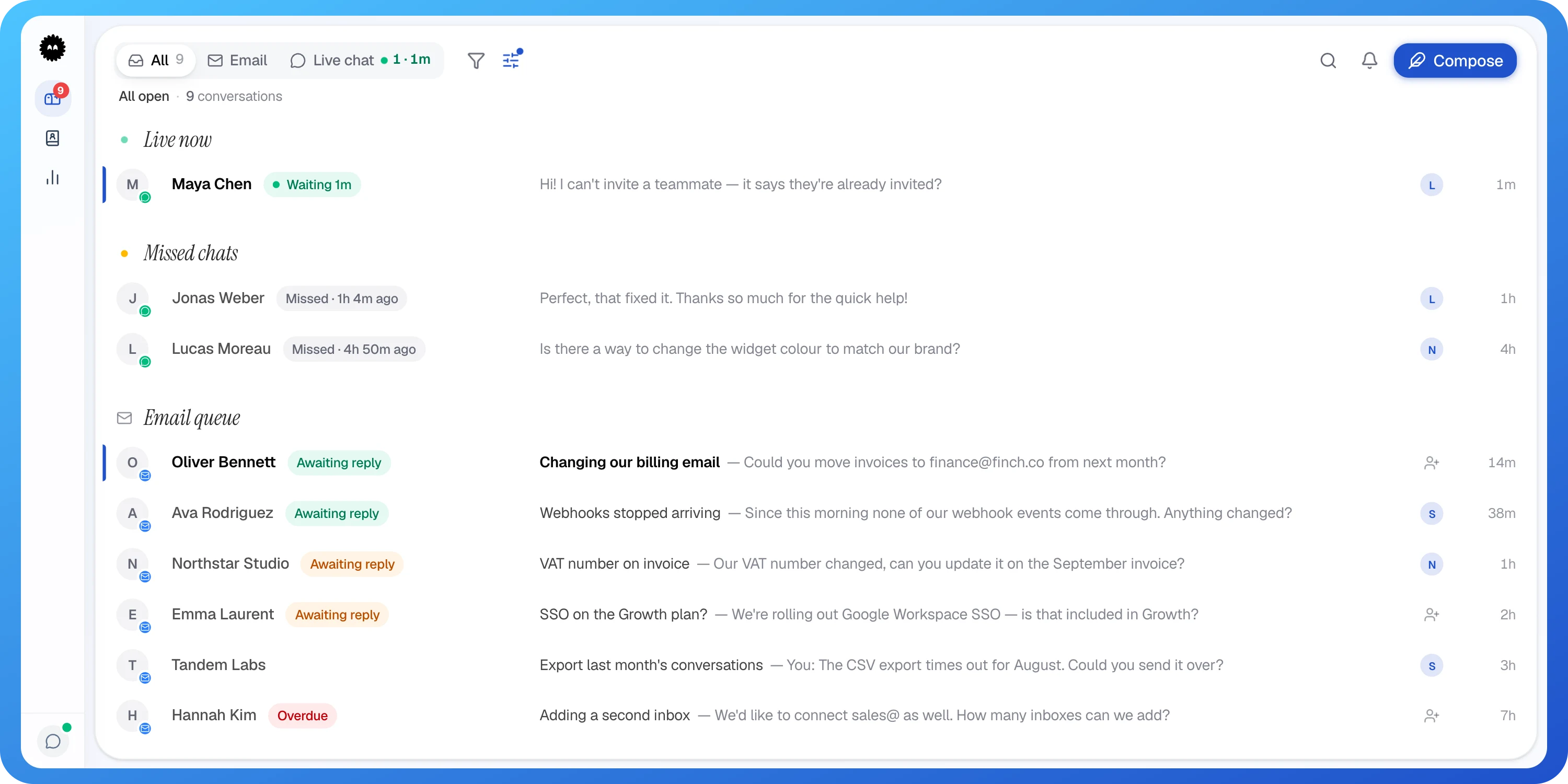
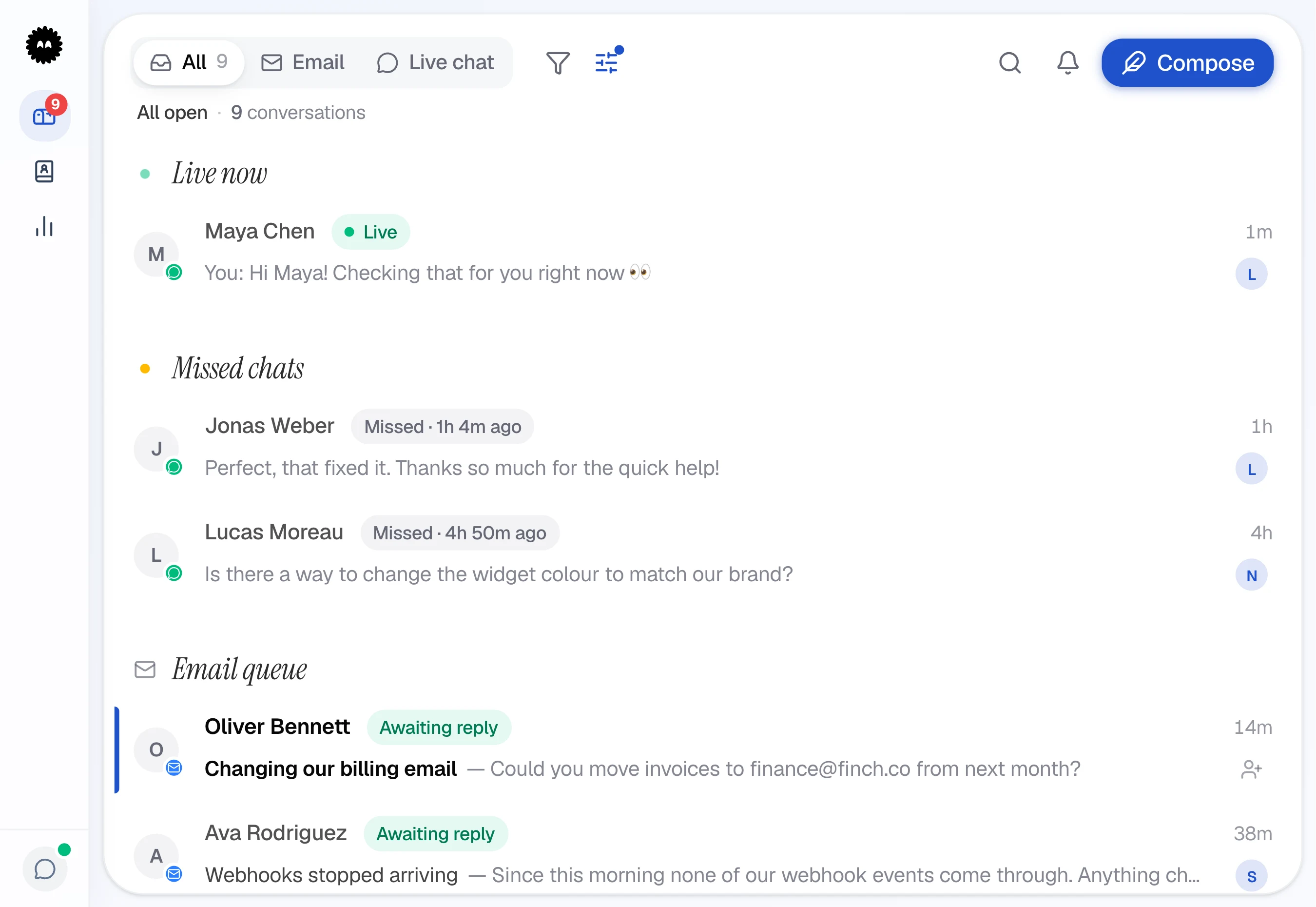
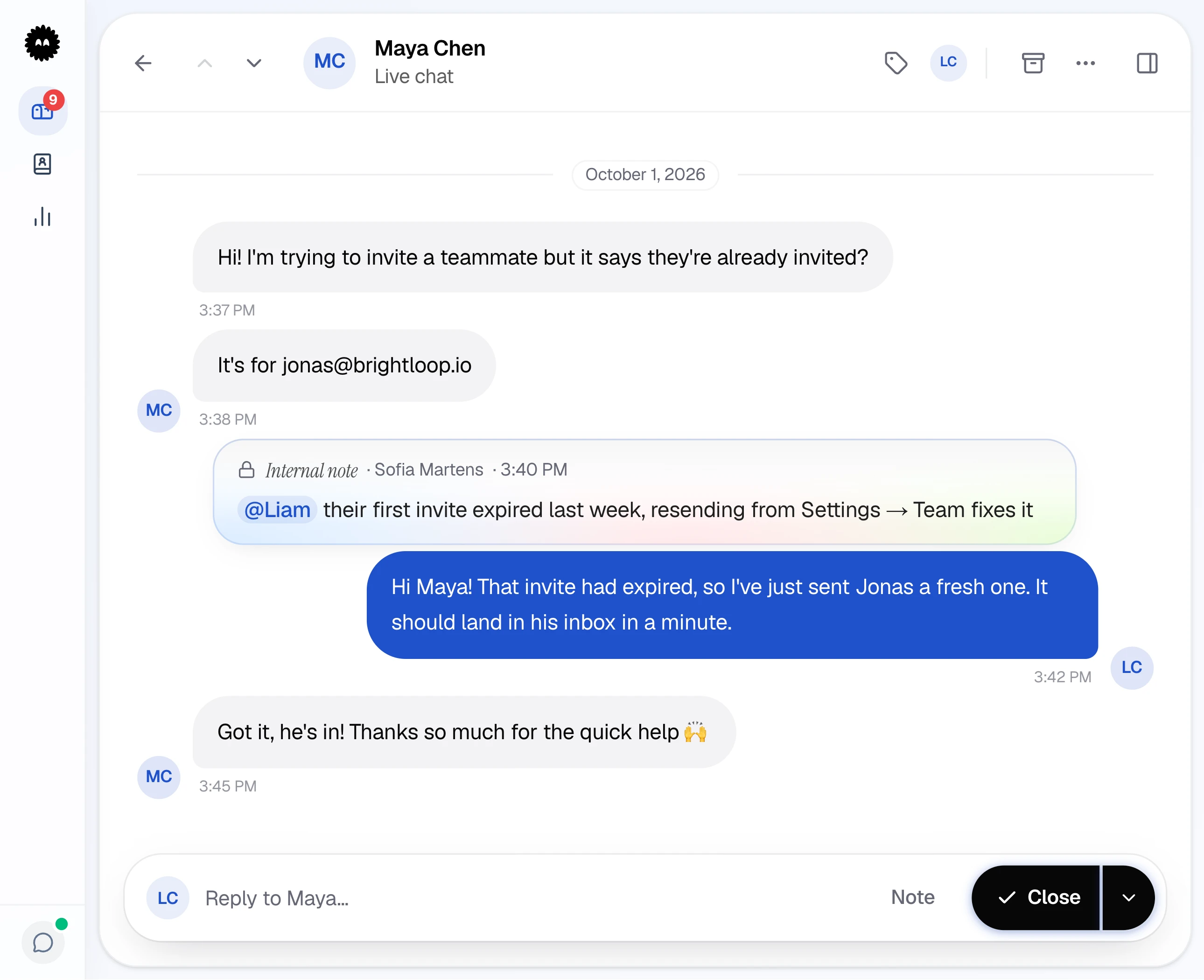
Maya asks on your site. Watch it arrive in the inbox, get picked up and get answered.
1A chat comes in
Maya asks on your site. A new row lands in the inbox.
Your colours. Your hours.
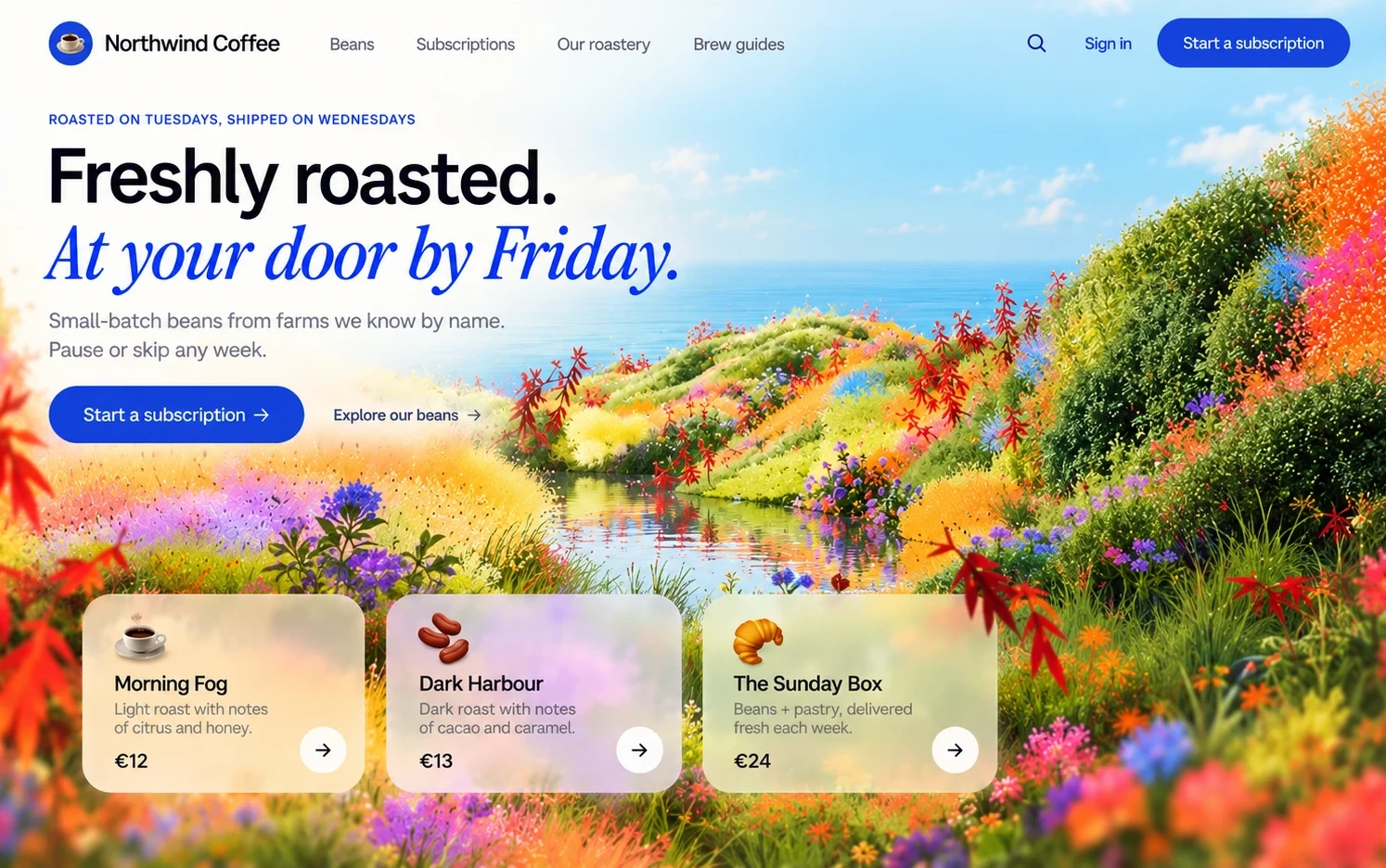
Decide how the chat looks and when it's open. Try it: this is the real widget, set up for a coffee shop we made up.
Online means online
The green dot only shows when someone on your team is actually there.
Closed at six? So is chat
Set your business hours and the widget keeps to them. From Starter.
Say how fast you are
The line under your name is yours to write. “Usually replies in a few minutes” is only the default.
Away, not unreachable
When nobody's in, visitors get a short form. Their message is in the inbox when you're back.
Names before hellos
Want a name or an order number first? Add a form with your own fields. From Starter.
Hello, the way you'd say it
Write the first line people read when they open the chat.
For the people doing the answering.
The chat lands in the same inbox as your email, with the tools your team reaches for all day.
No chat goes unheard
Unanswered chats ring and stay on screen, with how long they've been waiting.
Type / and you're done
Your saved replies are one slash away. From Starter.
Pass it on, with context
Hand a chat to a teammate with a note, so the customer never has to repeat themselves.
Send the screenshot
Images and files go both ways, right in the chat.
Live before your coffee's cold.
No developer hours, no onboarding call. Three small steps and you're answering customers.
Paste two lines into your site, pick a button that looks like you, and bring the team. That’s the setup.
Free has 1 seat. Starter includes 3, and Pro is unlimited.
<script>window.Suppp={workspaceId:'YOUR_ID'}</script>
<script src="https://suppp.chat/widget.js" async></script>
Goes in before the closing body tag. In your settings it comes with your own ID filled in.
And the small things that add up.
Everything on the Free plan unless it says otherwise.
Your customers get a chat that feels alive.
Typing indicator
They see when you're writing back.
Attachments
Screenshots and files, from either side.
One-tap rating
A score when the chat is resolved.
Sound on replies
A soft sound when you answer. On or off.
Pre-chat formStarter
Name, email or your own fields.
Questions & answers
Someone's about to ask. Be the one who answers.
Free plan available. 14-day trial on paid plans, no credit card required.